Full video and projects
The full video
When the last current clip finishes, H3 Save Segment assembles one MP4 from the saved clip videos in Timeline order. The Viewer's Full video plays it; Open in new tab opens the file and Download (or the top bar's Download video) saves it. It is stored under output/h3_sequences/<name>/.
- The full-video links appear only when every current clip is rendered. Editing the Timeline, changing render settings or re-rendering a clip invalidates the previous export, and reopening a completed Timeline recreates a missing or outdated file. Original segment videos and archived takes are preserved.
- Assembly copies compatible H.264 tracks and re-encodes on the CPU when encodings differ. All segments need the same size and frame rate; an incompatible or missing segment reports an export error instead of showing the older file.
- Saved clip MP4s already exclude carried context. Audio comes from the saved decoded waveforms with the usual context trimming and overlap fade. Connect decoded images and audio to H3 Save Segment to include them; export generates no transitions or new soundtrack.
- Rendered bridges are played between their clips, and ticked audio clips replace H3's audio.
Projects
Open Project settings in the Studio's top bar.
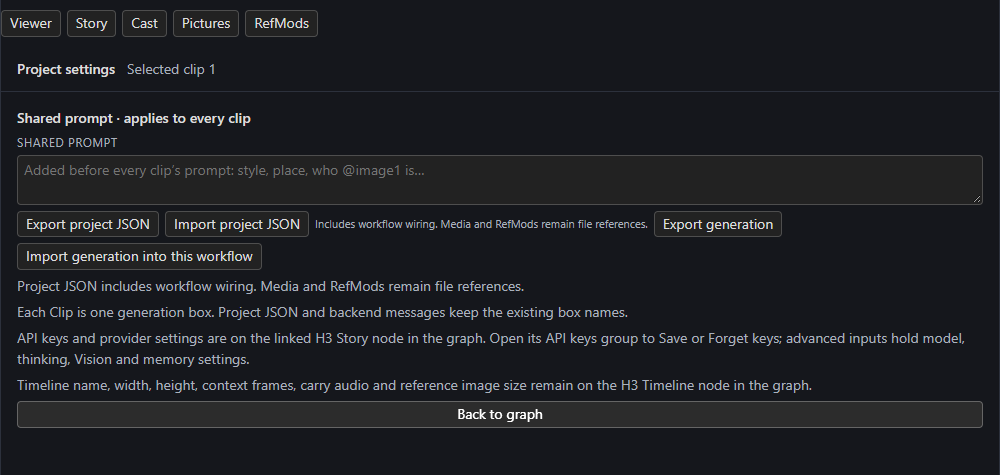
| Control | Does |
|---|---|
| Shared prompt | Text added before every clip's prompt. |
| Export project JSON / Import project JSON | Move a complete workflow graph, including wiring. Media and RefMods stay as file references. |
| Export generation / Import generation into this workflow | Move the generation (Story, Timeline, accepted guides, candidates, native saved takes and sidecars) into another generator workflow while keeping that workflow's models, nodes and sampler. |
| Back to graph | Return to the Studio. |
Generation JSON references verified media in this installation; it contains no model weights and does not embed large videos or latents. Missing or changed media blocks an import. Import creates a separate sequence and never resumes a batch or replays source jobs. Use generation transfer to move work, for example, between a Qwen image workflow and the H3 video workflow, and project JSON to copy a whole graph.
API keys and provider settings live on the Story node, and the Timeline's name, width, height, context frames, carry audio and reference size stay on the Timeline node.
New project
New project starts a fresh project in the current workflow.
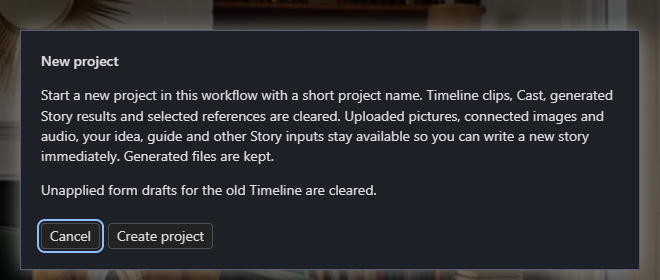
Timeline clips, Cast, generated Story results and selected references are cleared. Uploaded pictures, connected images and audio, your idea, guide and other Story inputs stay available so you can write a new story immediately. Generated files on disk are kept. Unapplied form drafts for the old Timeline are cleared.
Folder layout
output/h3_sequences/<name>/
  seg_0001.mp4          # a clip's video, without carried context
  seg_0001.safetensors  # its original audio+video latents
  seg_0001_last.png     # its last frame
  bridge@<id>.mp4       # a bridge's new frames (plus .safetensors, _last.png)
  <name>_full.mp4       # the full video
  manifest.json
  checks.json           # only if you ran the continuity check
  takes/                # earlier renders, one folder each