H3 Continuity
Author and render multi-shot sequences with MiniMax H3 in ComfyUI, and keep people, clothes and places consistent across cuts.
H3 Continuity is a ComfyUI custom node pack. You lay a film out as clips on a Timeline; each clip is one H3 generation. Clips can continue the one before, cut to a new angle, start a new scene, or be joined by a generated bridge. A Studio editor gives you the viewer, prompts, pictures, takes and checks in one place, and an optional H3 Story writer can plan the whole Timeline from an idea.
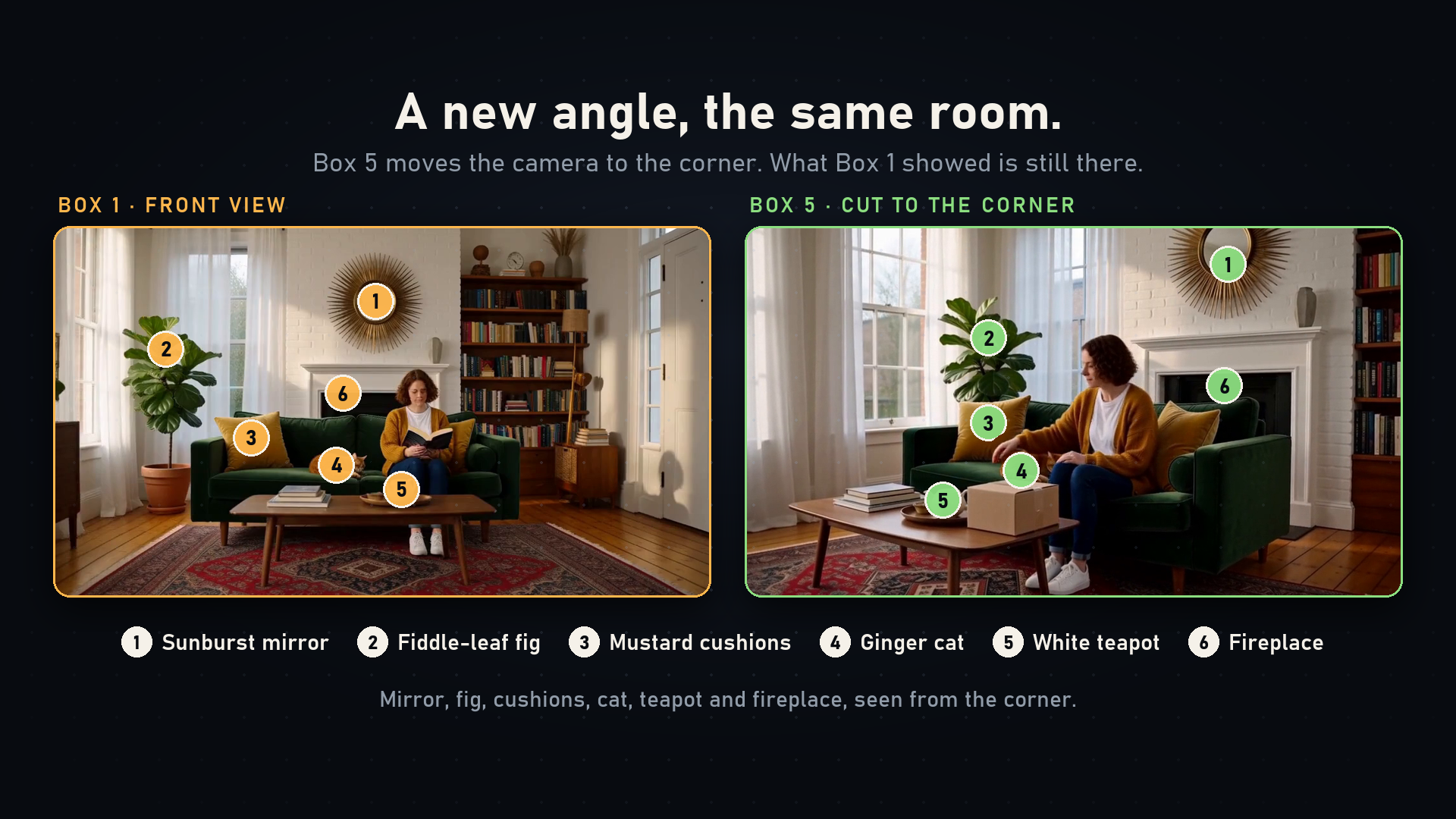
Left: the room the first clip established. Right: the same room from a new camera angle, rendered with visual memory.
Get started Watch the demo Reproduce the example
What you can do
-
Draw the film as clips
Add, resize, split and reorder clips, choose how each one joins the one before, and render them one at a time or all at once.
-
Remember what came before
Bring chosen moments from earlier clips into a later shot, so a room, a coat or a house survives a cut or a new camera angle.
-
Join clips four ways
Continue, cut, start a new scene, or insert a generated bridge that moves from one shot to the next without re-rendering either.
-
Guide shots with pictures
Mention references with
@image1, pin a first or last frame, and generate or upload still guides for any clip. -
Keep every take
Each re-render keeps the earlier take. Play, compare, put one back, or render several takes of a clip at once.
-
Check what rendered
Have a vision model compare each rendered clip with your characters, places and the clip before it, and measure colour drift.
-
Write the story with a model
Type an idea and H3 Story plans the clips and writes their prompts through any OpenAI-compatible endpoint, local or cloud.
-
Cast and the Story bible
Track characters, places and props with their looks over time, voice clips and pinned moments.
-
Audio lanes and timed text
Place music and sound on lanes, and attach a Whisper transcript as exact on-screen lettering.
-
Drive it from code
A versioned HTTP API, a Python client and an agent skill let scripts and agents author and render a Timeline headlessly.
The Studio at a glance
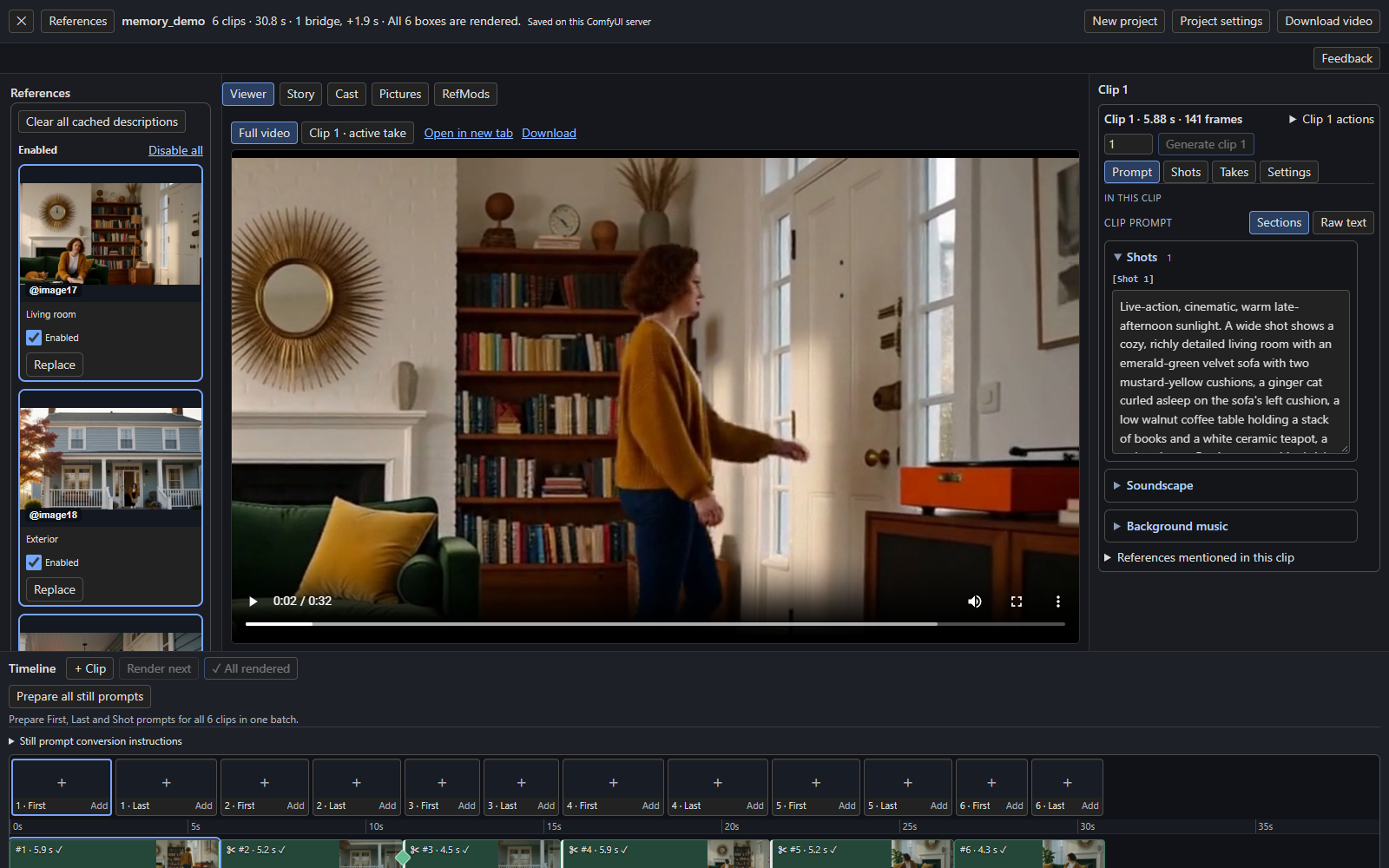
The Studio opens from the Open Studio button on the Timeline node. It shows the full video or any clip's take, the clip's prompt and settings, your pictures, and the Timeline itself along the bottom. See the Studio tour.
What you need
A current ComfyUI with working MiniMax H3 support and its model files, and a GPU for generation. H3 Continuity does not download models or provide credentials, and the optional Story writer needs a separately configured language-model endpoint. See Install.
Quality is the model's, not a guarantee
Continuity features give H3 more to work with; they cannot promise a perfect result. Review each join and use takes to retry. Each page notes what has and has not been verified.